You can access the distribution details by navigating to My pre-printed books > Distribution
Add a Review
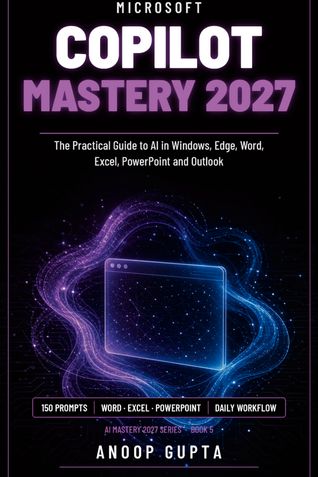
Microsoft Copilot Mastery 2027 (eBook)
The Practical Guide to AI in Windows, Edge, Word, Excel, PowerPoint and Outlook
Type:
e-book
Genre: Computers & Internet
Language: English
Price:
₹199
(Immediate Access on Full Payment)
Description
Learn to use Microsoft Copilot inside Windows, Edge, Word, Excel, PowerPoint and Outlook. Copilot is already on many computers, but most people only type a short question and stop. This practical guide shows you how to draft, analyse, summarise and plan in the apps you already use.
What you will learn
- Set up Copilot on Windows, in the app, in Edge and on mobile
- Write a clear prompt formula, including voice
- Draft, rewrite and summarise in Word
- Build formulas, clean data and make charts in Excel
- Turn a document or an idea into a PowerPoint deck
- Handle email, meeting notes and follow-ups in Outlook and Teams
- Summarise pages and PDFs in Edge, and use a daily, privacy-aware workflow
Who it is for: office workers, students, teachers, accountants, freelancers and small business owners who want Copilot to help with the work they already do.
This is an independent, unofficial guide and is not affiliated with, sponsored by or endorsed by Microsoft Corporation. Microsoft, Copilot, Windows, Edge, Word, Excel, PowerPoint, Outlook and Teams are trademarks of their owners. Features and plans change; check the official app or site for current details.
This book was written with AI assistance and reviewed by the author.
Book Details
Number of Pages: 362
Availability:
Available for Download (e-book)
Ratings & Reviews
Microsoft Copilot Mastery 2027
Review This Book
Write your thoughts about this book.

Currently there are no reviews available for this book.
Be the first one to write a review for the book Microsoft Copilot Mastery 2027.
Other Books in Computers & Internet

ಕನ್ನಡ ಬರಹಗಾರ
Praveen M Javali

Garvit Sharma

Vishnuvarthanan Moorthy